How To Add A New Domain For DMARC Monitoring
Learn how to register your domain within the platform to begin tracking your email authentication. This guide provides the necessary steps to add your domain and initiate the required ownership verification process.
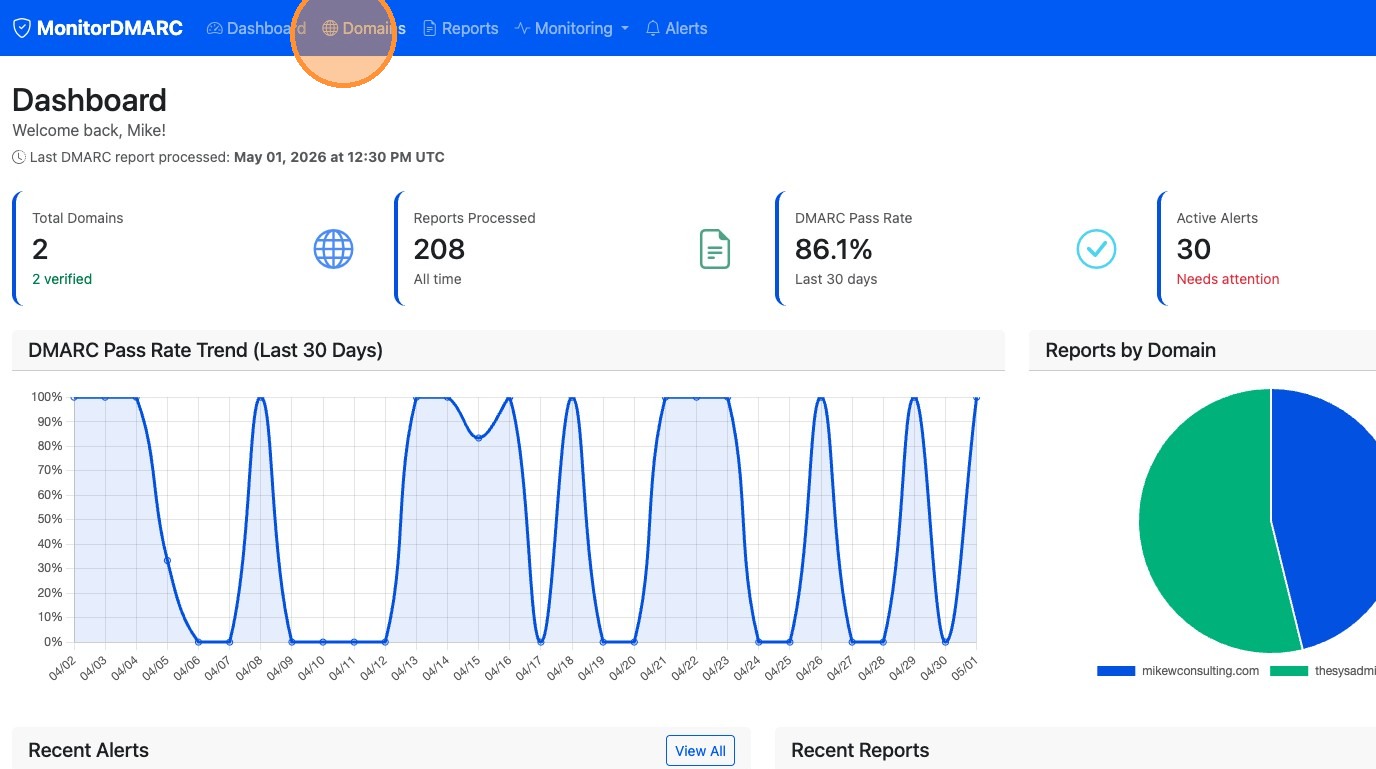
1. Click "Domains"
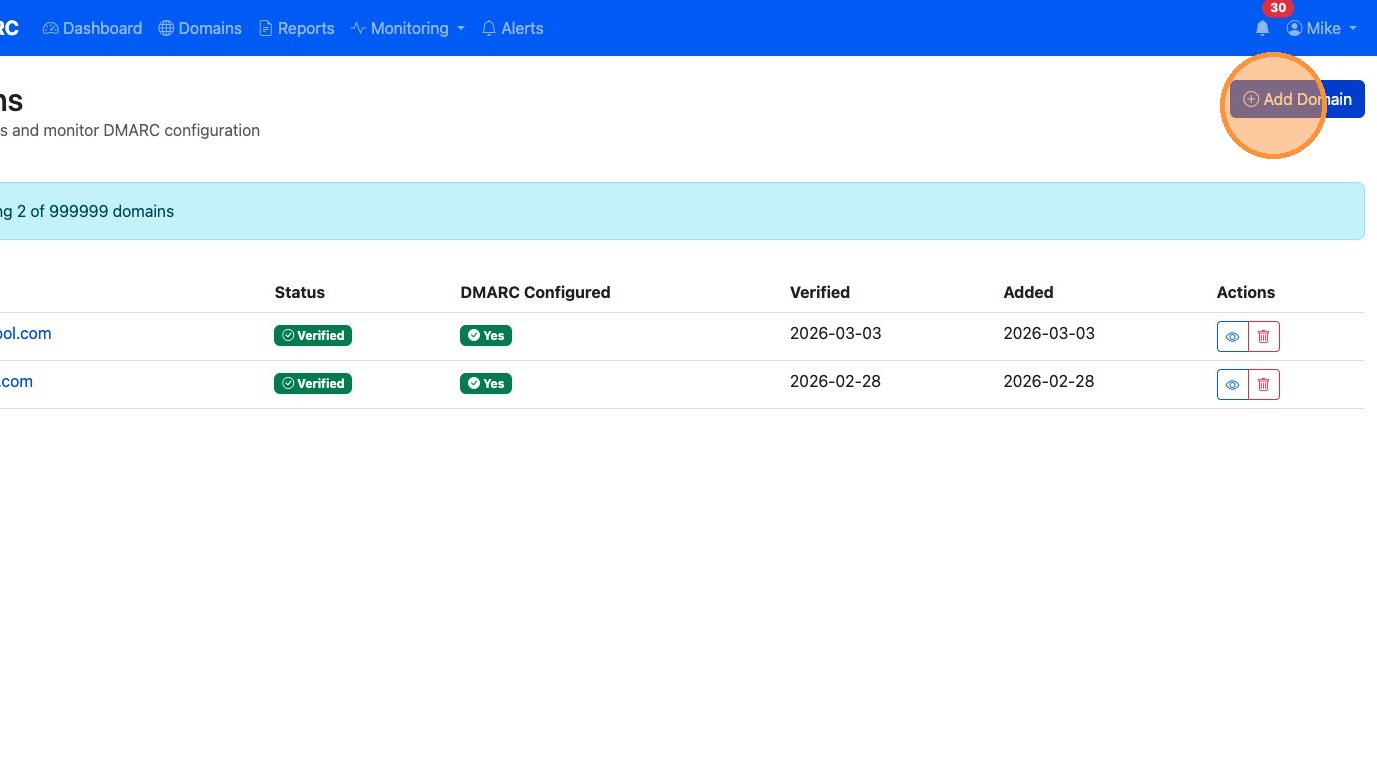
2. Click "Add Domain"
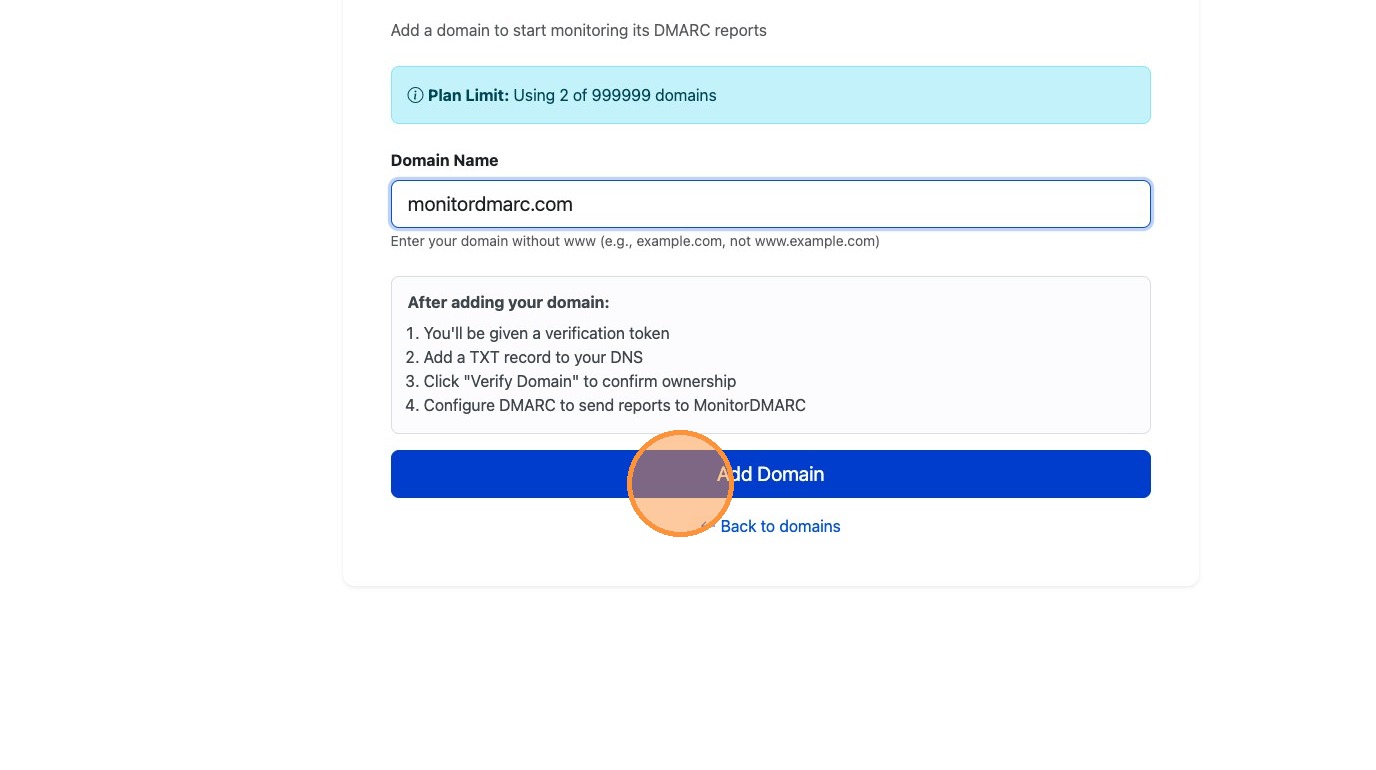
3. Type the domain name you want to monitor into Domain Name field
4. Click "Add Domain"
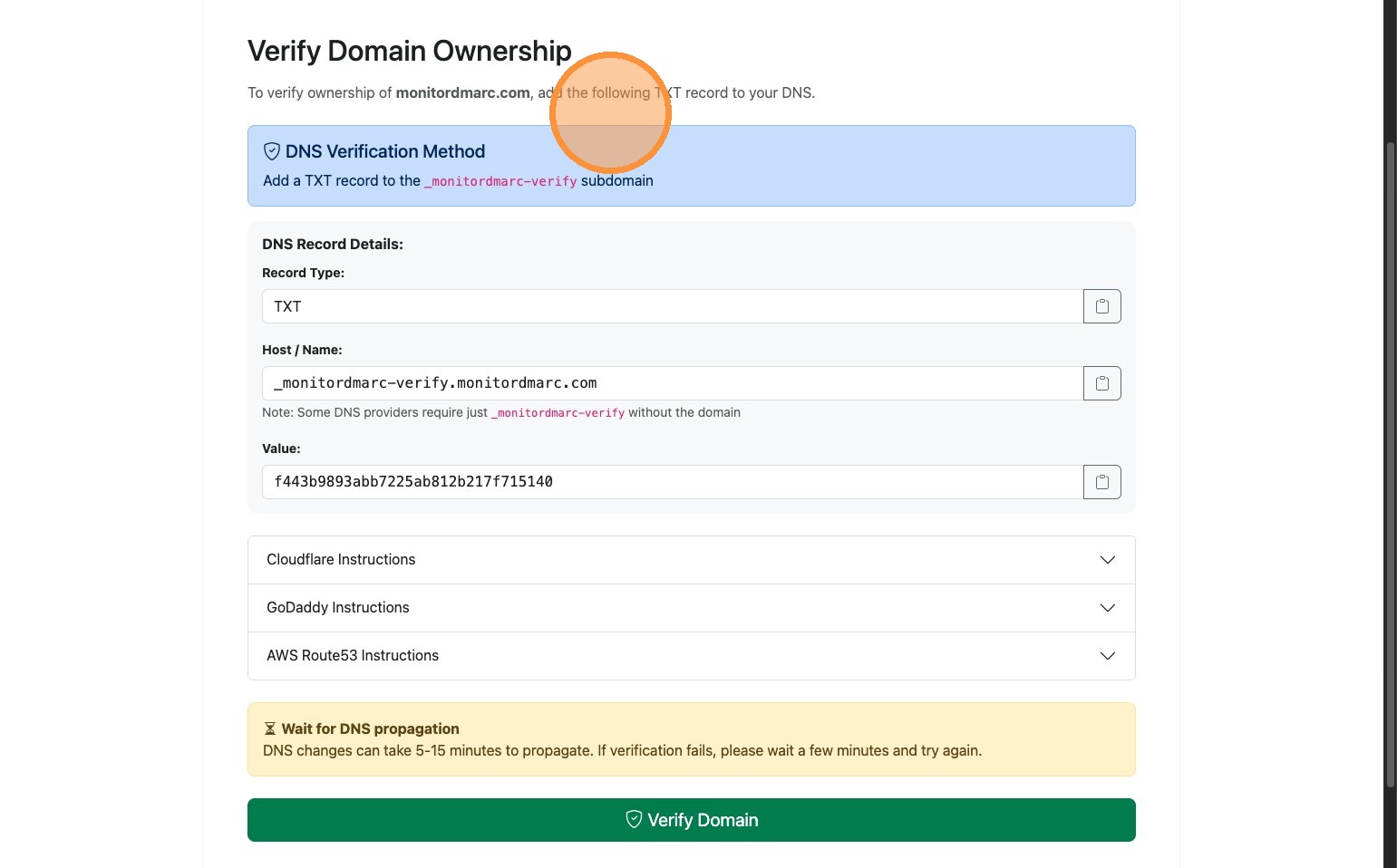
5. Add the DNS record to your DNS Registrar and click "Verify Domain"
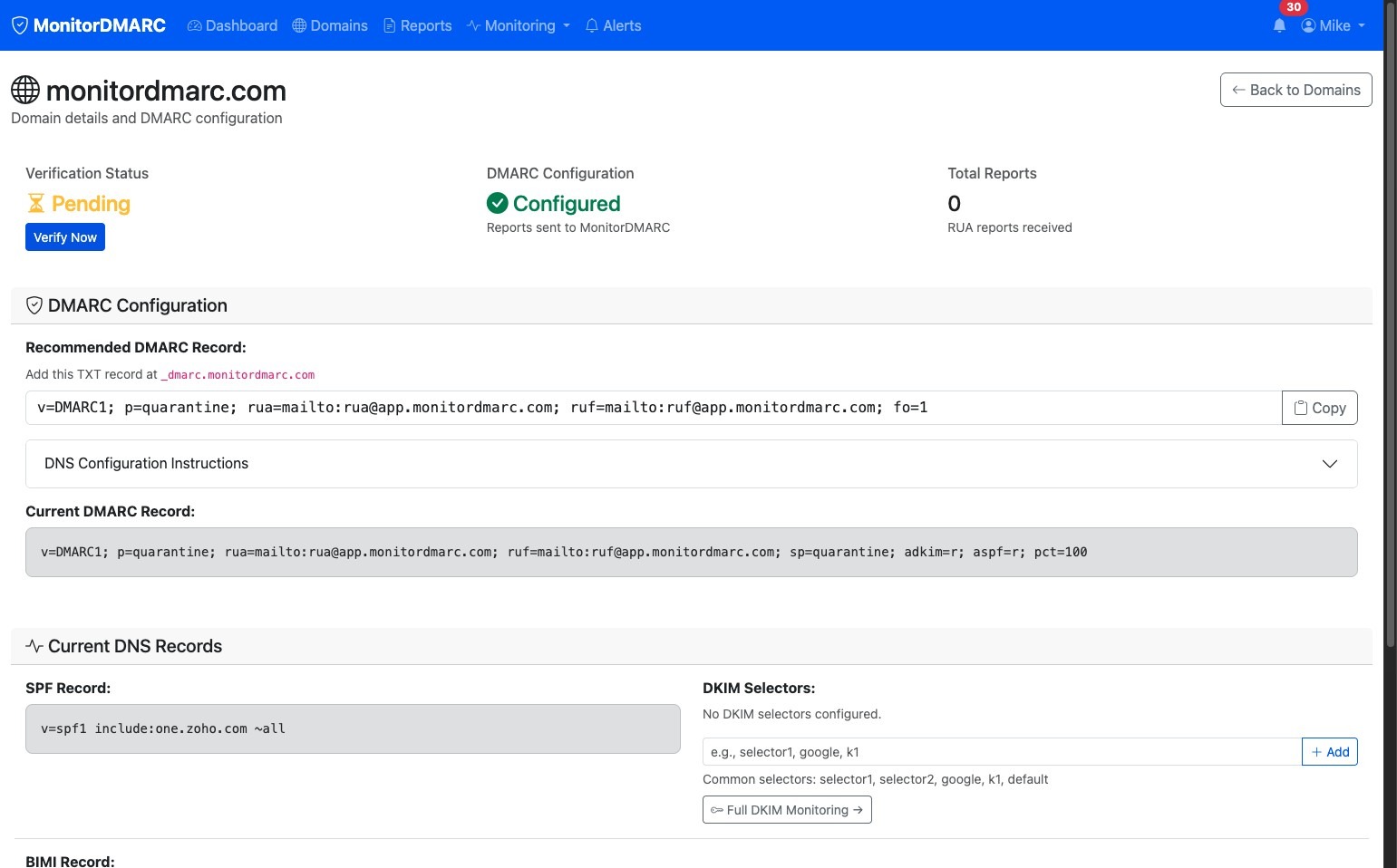
6. You will be taken to the Domain page while it is pending verification.